
Something strikes me as strange here. It’s been some time since Aikea Guinea and Gelydh retired from FA status, yet their names have not been added to T$R’s retired artists page (thesimsresource.com/artists/retired/). Two more recent departures (so recent that, at the time of writing, their content still hasn’t been free released) Confide and Tantra, are already listed on the retired artists page. So I wonder why Aikea and Gelydh aren’t? Weird. T$R’s choice, or Aikea and Gelydh’s?
Category Archives: The Sims
Why You Don’t Own the Mesh File
By someone who actually knows what she is talking about... A message from Nouk in response to copyright claims by RoseSims2.net (spellings corrected by me, because I am such a pedant)
1. Whatever you import into Milkshape, has the skeleton information from the Sims 2, which give the mesh it's animation. Even if you delete the meshfile, the skeleton (bones) remain, otherwise the hair wouldn't work in the game.
Rose did not create the game animations nor the skeleton and bone information, EA/Maxis did.
2. After that, the mesh gets exported into the .gmdc format. Also, EA/Maxis made coding, not Rose.
Continue reading
Will You Be Buying The Sims 3?
Poll results
- Yup, as soon as it comes out! (32.3% / 30 votes)
- Yes, but not until there are a few decent EPs (20.4% / 19 votes)
- No way! (12.9% / 12 votes)
- Does the word 'warez' mean anything to you? 😉 (34.4% / 32 votes)
Cherry Pie (Sims 1)
Ayyy!! I managed to finally get a 5 star Sim! This is Cherry Pie, #1 pop singer 😀
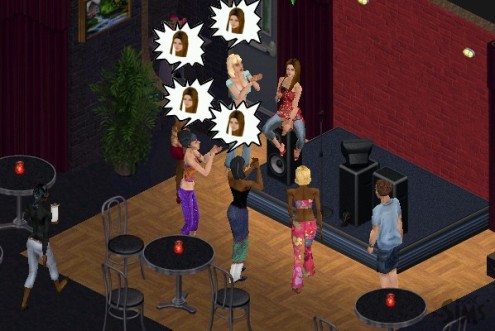
Nice big fanbase
I took loadsa pics of her performing the music videos, but they didn't save!!
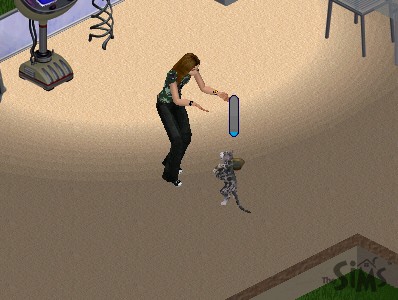
Dance, Kitty, dance!
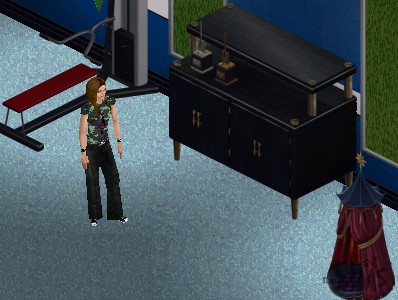
Posing with her trophy cabinet — 2 awards so far
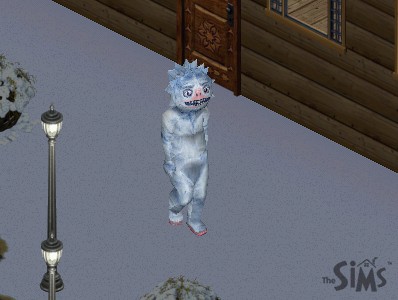
Betty the Yeti!
I didn't know how to feed the cat on holiday, it almost starved to death, so I had to send Cherry back home after less than a day 🙁
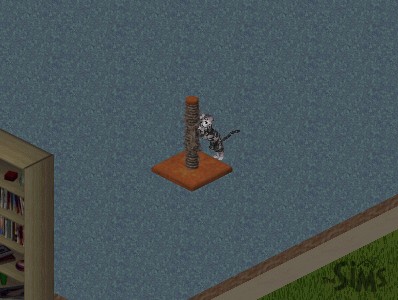
Meow!
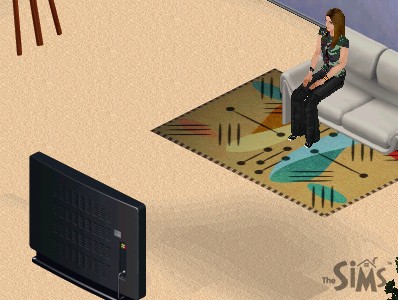
Relaxing at home
More SecuROM Links
I haven't ranted in ages. So now is the time for my sounding off!
My PC was once infected with SecuROM and we were no longer able to even backup our files (yeah, just back up our files, pictures, documents, suchlike) onto CD because SecuROM decided that anyone who wants to burn a CD is automatically a pirate and a crim. Stoopid load of rubbish EA.
Awesome quote from muridae @ MATY:
As I understand it, you only get the uaservice7.exe service installed if you're running Bon Voyage under a limited (non-Adminstrator) account. SecuROM needs that service to give it administrator-like privilege in an account that shouldn't have that, which to me is one of the more worrying low-level activities it gets up to on your computer.
Okay, rant over. Here are a few links for those who want to rant, or who might need a lil more convincing as to why SecuROM is NOT good for your PC. In fact, it is not even good for the publishers who stick this s___ on their customers' PCs, and it's about time they realised it.
So... Tada!
Why No Mention of Aikea and Gelydh..?
... the torrents will stay up until T$R free-releases their work, but isn't it strange, they've both decided to call it a day at the same time...
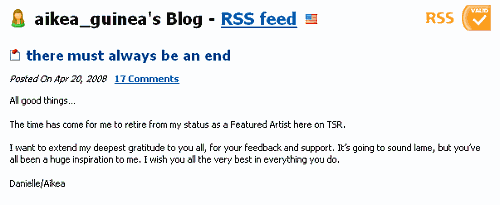
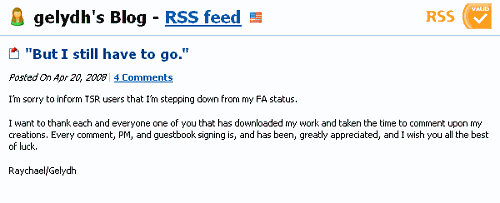
Sorry about the blurry pics, this danged theme is so frickin' narrow. Now could they... could they really be one and the same person?!  Or perhaps they're going to set up a free site together elsewhere... One can only hope...
Edit: It seems they are! From PMBD:
Fixed meshes from Aikea and Geyldh - hosting at their request while they get all of their content on their new site. Find these items under TSR/z-retiredartists/aikea/fixed_meshes_from_aikea and TSR/z-retiredartists/geyldh/fixed_meshes_from_geyldh.
Nice though, more departures from TSR — I bet Thoma$$ is weeping into his hanky. I've already removed two torrents, Juttaponath and Cloisonne, because they have both gone free! Gelydh and Aikea will make two more.
Exploring the Makin’ Magic EP
Made a magic sim the other day, Roberto Magik
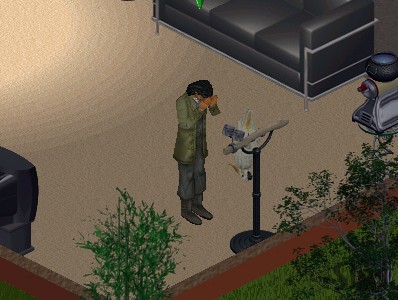
Oh no, the cockatiel died 🙁
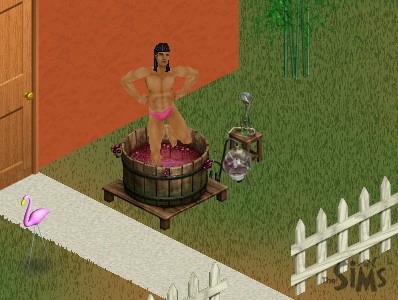
Having fun with the nectar press... I know. You don't have to tell me. They look so wrong don't they?
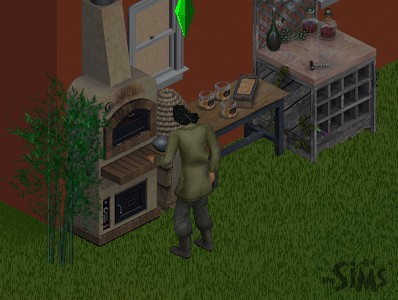
The baker's oven. Well, that was a waste of time. It set on fire and all my ingredients were lost.
What super happy fun goodness! I'm bored of it already.
All Your Monies Are Belong to Us

Coming soon to Leah's Corner
Super Happy Sims 1 Fun
Meh, I finally did it. I installed TS1 and I'm not even joking, it took a whole hour just to install. Anyway, gameplay was kinda confusing at the beginning, because I'm used to TS2 gameplay, but I've got the hang of it now (kinda). The thing is because I installed all 7 EPs, before even playing the base game, there was so much to learn in one go. So right now I've decided to ignore most of the stuff and concentrate on just the Unleashed pack and the Superstar pack (which is the one I was mostly interested in anyway).
Two things that are annoying: the rotate/zoom! Argh! You can't even zoom in that much and the rotate thing is so annoying I don't even bother unless I really need it. The other thing, making friends seems so much harder than in TS2. Or is it just my imagination? So far my poor little Simmie has only made one friend.
Anyway, here are a few piccies. This is the only sim I've played so far, Catherine Star. She currently has a fame rating of 3. Tee hee hee.
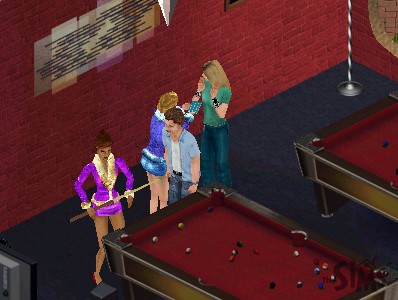
Just like real life, Avril hasn't time for the little people
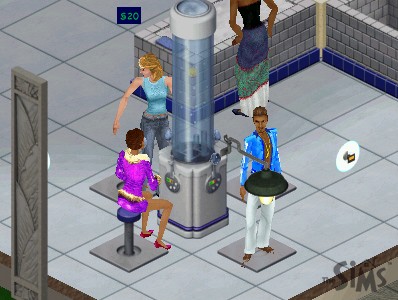
Relaxing at the Oxygen Bar.
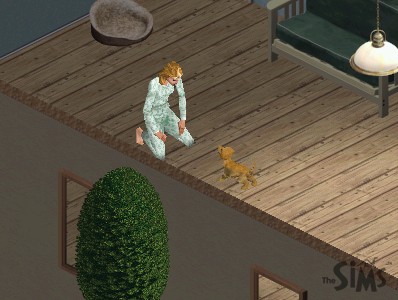
Catherine and her dog, Billy.
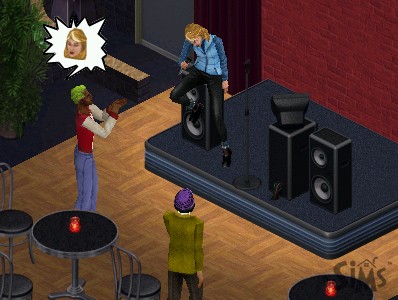
Catherine performing and gaining some star credentials.
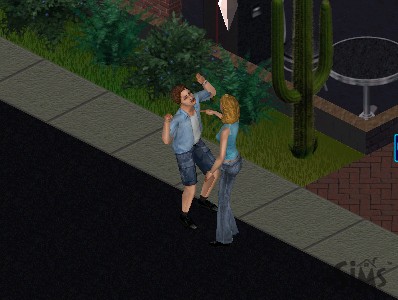
The Obsessed Fan. Please just leave me alone!
The Sims Resource?
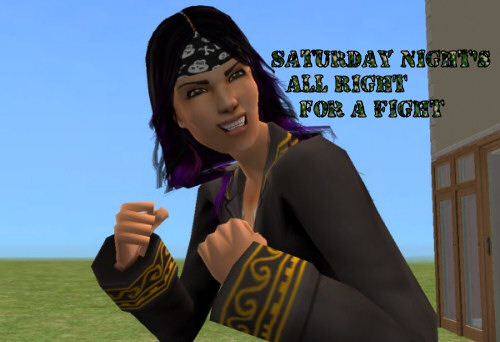
Saturday Night’s All Right for Fighting
or the Clash of the Boyfriends (Saffron's boyfriends, that is)
With our host, Ms Jasmine Elemita, Pirate Apprentice
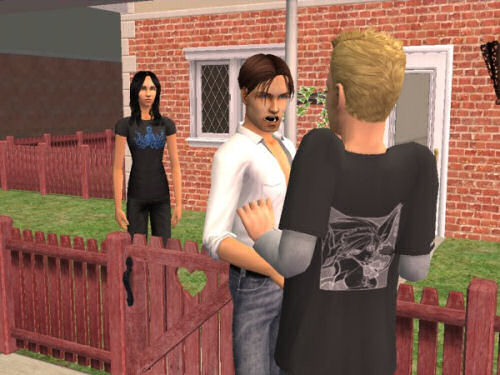
Uh oh, the ex and current boyfriend seem to be having a disagreement.
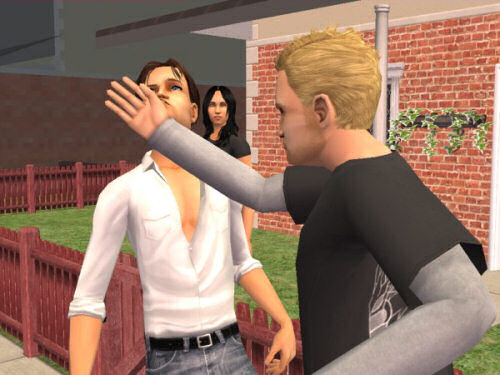
KAPOW! But Jasmine doesn't seem bothered at all.
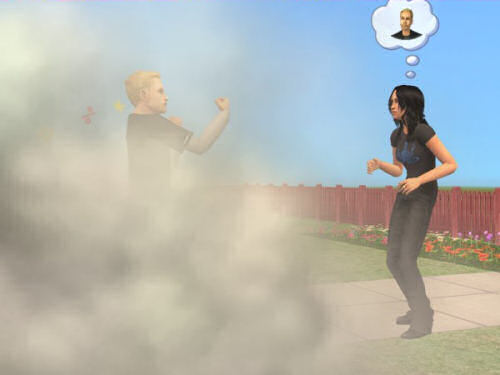
'Let's take this one out back, buddy.'
'Don't call me "buddy"!'
DOH!
The Maxis of Evil
No, my problem isn't really with Maxis, but that beyond-a-joke publisher, EA. The last TS2 expansion pack, Freetime, is released soon here in the UK, and EA have seen fit to bundle that SecuROM malware with that too, despite the thousands of complaints they've received on the matter. What a joke.
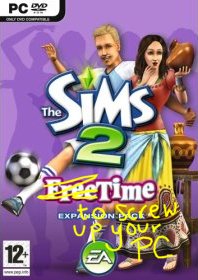
Why can't EA get it into their heads that they can stick all the Securoms they want onto their discs, it will do absolutely feck all to stop people pirating the game? EA, you fools, by bundling malware with your games all you are going to do is alienate your genuine customers, and push them towards real piracy, because why should your customers hand over £17 so you can screw up their PCs? My computer was previously infected with SecuROM, after someone installed NeverWinter Nights (no warning on that game either). My CD-RW consequently lost the ability to burn CDs, and we had no idea why. It was only after we reinstalled Windows because of a soundcard problem that the CD-RW drive started working again. Why do games publishers feel they have the right to mess up our computers - and deny us the right to burn perfectly legal CDs - to 'protect' a game most people have no intention of copying and bandying around anyway?
Copy-protection does nothing to stop pirates - why does EA think they will succeed where everyone else has failed? Pirates will always find ways to get round copy-protection, downloading an illegal copy of Bon Voyage is as easy as easy!
In other words, you morons, you've shot yourselves in the foot.
Pescado, you've taken the words right out of my mouth:
Not only is it [copying/sharing CDs] unpopular as a method, but it is also the method most likely to actually generate sales! The "casual" disc sharer is most likely to buy his own at some point. The veteran e-pirate is not only unlikely to do so, but strongly discouraged from doing so by the superiority of the counterfeit product that he clearly knows how to acquire. A short-sighted move like this forces customers that run into problems to learn the ways of the pirate, and pretty soon they join the Dark Side in frustration. By taking that sale now, the company costs itself future sales, an incredibly short-sighted move. Better to lose a sale in the present for sales in the future than to permanently alienate customers while simultaneously teaching them to be pirates to make what they have bought work! Consider: A user who borrows a disk from a friend, with no CD check, probably won't buy the game NOW...but he might in the future, when he has to reinstall it, or buy the expansion pack now that he has the game, and is no better equipped to be a pirate later than he was before. A customer p***ed off by the game NOT WORKING that has to go find a crack has now learned some dangerous knowledge and has a hostile disposition. It is not a customer that is pleased with your product and likely to buy future products. - Pescado, Booty King, from MATY
Complaining to EA about the crap they bundle with their software doesn't work. The only - ONLY - way to get the message across is to vote with our wallets. If sales go down enough, EA will finally wake up to their customers' demands. Unfortunately, that's not going to happen, as many Sims players — especially the younger ones with their 'pester-power' — simply don't care what rubbish EA fobs us off with, because they just have to have the latest EP. It's quite a sad state of affairs, really. But EA have definitely lost me as a customer.
Paysite Hypocrisy
The real theft
No doubt Thoma$$ et al @ TSR consider me to be a thief because I put their pay stuff up on the torrents. They call this violation of copyright and the artists' TOS. But how about this?
I want you to take a look at these two pay items, one by Gelydh and one by Aikea Guinea, both Featured Artists at TSR at the time of writing. Both of these items are subscriber-only. Let's start with Gelydh. Here is a skirt she made. Have a look at the tooltip in BodyShop and you'll see it says © Gelydh at TSR.
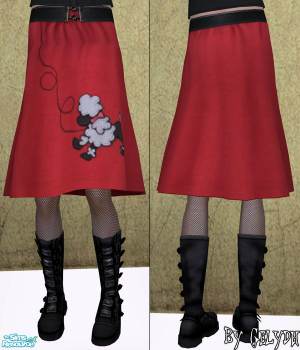
Now look at these two Maxis items. Anything look familiar?

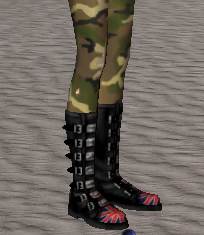
So what Gelydh's done is simply rip Maxis meshes, tweak them a little, then paste Maxis's textures onto that modified Maxis mesh. Nothing wrong with that, though, isn't that why Maxis gave us BodyShop? Of course. But then Gelydh then has the nerve to assert copyright over and charge money for something that is not even her intellectual property! So how dare she or anyone at TSR attack those of us who fileshare pay content?
Let's have a look at Aikea Guinea's work next. Here is one of her jeans.
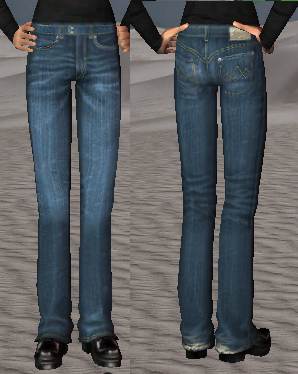
Very nice. Now let's look at a pair of Maxis jeans. These came with Nightlife for adult males.
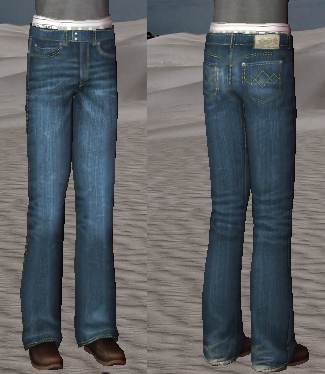
Wow! What a surprise! The jeans' textures are exactly the same! Yet if you ask Thoma$$ who owns the copyright, I wonder what answer he'll give..?
I'm sure you can find plenty more examples of pay artists stealing Maxis work, pasting on a big copyright sign and then charging you money for it. Now just ask yourself, who are the real thieves?
Making Pets BodyShop Downloads work for all EPs
The tutorial on MTS2 is so flipping long-winded, so here is the quick version! Right, this tutorial will show you how to correct files made with the unpatched Pets BodyShop. These are incompatible with non-Pets versions of the game and will show up in CAS usually as a nude body, but sometimes clothing will even show up as hair! In any case these will not work with your game unless you install Pets, so you need to correct it manually.
Shut up, just tell me how to do it!
Okay, first, open up the culprit file in SimPe.
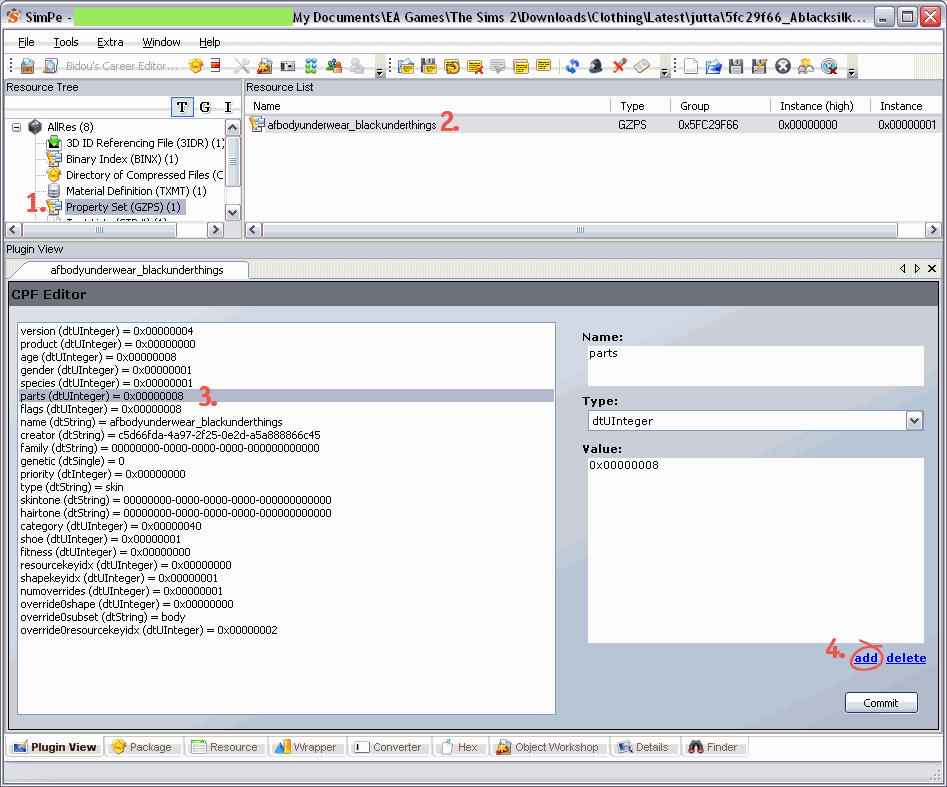
Now, in the left-hand column in SimPe, click on Property Set, then click on whatever comes up in the Resource List window. Then in Plugin View, click on 'Parts'. (If you can see a property here called 'outfit' then the file is already compatible, so leave it alone!). With the 'Parts' resource selected, click on the 'add' link. Have a look at the screenshot below if you need to.
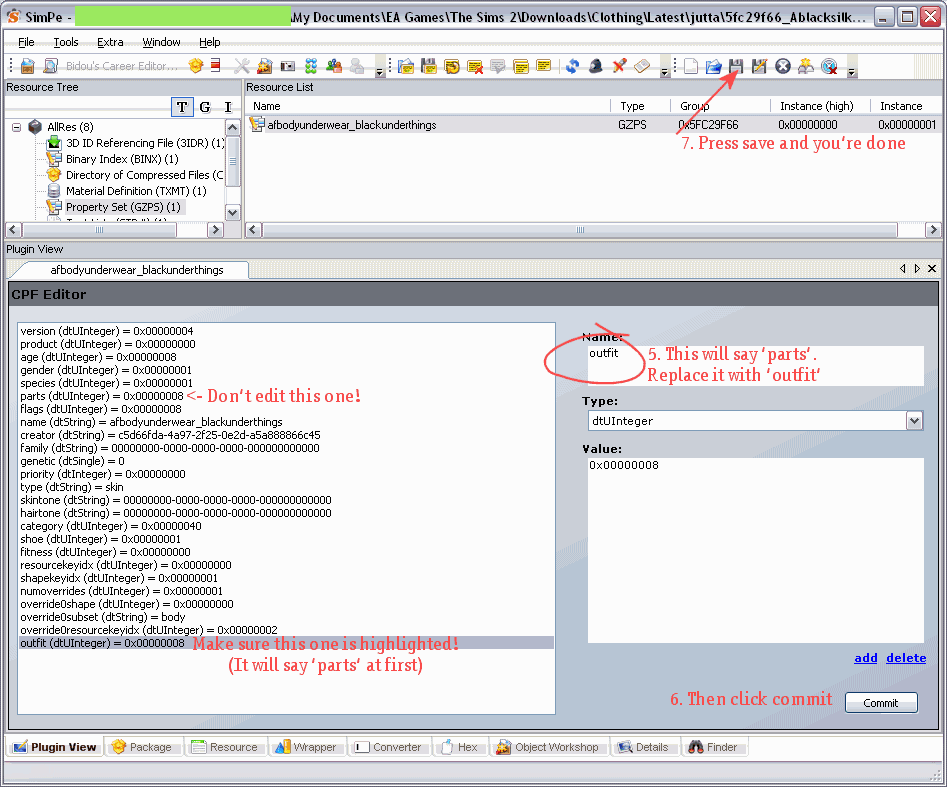
After you've pressed 'add', another line called 'parts' will be added at the end of the list. Make sure this line is highlighted. Then on the right hand side, change the text that says 'parts' to 'outfit. Click the Commit button, then save the file.
Just to be on the safe side, delete the following cache files from My Documents\EA Games\The Sims 2
- Groups.cache
- cigen.package
- Everything in the Thumbnails folder
And that's it! The file will now work with your game!
Isn't there an easier way? I'm scared of SimPe 🙁
Try the Wardrobe Wrangler by DJSsims.com. Read the PDF manual for instructions. Mind you, it never seems to recognise dodgy files. The Fix button always remains greyed out for me, when I know for a fact that the file needs fixing, but maybe I'm just doing it wrong. Let me know if you have more luck with this.
How do I find the problem files in the first place?
It's not such an easy job, but here are some hints. Every time you download something new, place it in a 'Latest' folder (you can see I've done this in the screenshots above). So if you notice a nudie next time you load CAS (Create-a-Sim) in the game, or if you load up BodyShop and notice it's not there, you'll know it's a recently downloaded file and so it'll be easier to locate. Look at the tooltip in CAS and note it down, then exit the game and scan the relevant folder with the Clean Installer and look for whatever was in the tooltip, have a look at the texture, if it matches up, hover over the file name and you've found your man. I also have the habit of renaming files to make them easier to recognise (e.g. creatorname-pinktopAF.package is more recognisable than 8f5369d_prettytop.package).
If you don't mind using boolprops, you can use the cheat boolprop testingcheatsenabled true to show the filename in CAS (I think. I don't actually use this myself)
Download Troubleshooting
... and other super happy fun stuff.
Please read all the info on this page before complaining that 'it doesn't wooooork!!!'
This is only DOWNLOAD troubleshooting! If you are having other issues with your game that are not related to custom content, please visit The Sims 2 Wiki
What's a torrent?
bitTorrent is a method of P2P filesharing. You will need a bitTorrent client like qbit torrent to download. Once you've installed that, just follow the link to the torrent you want, click 'Download this torrent'. When prompted, open it with qbit torrent and away you go.
A seeder is someone who has a complete copy of all the files in the torrent. Without seeders you will not be able to download all the files. I'm trying to seed for as long as possible, but I can't keep all these files on my hard drive forever. I clear out a few torrents now and then, and unfortunately if no one else is seeding there's nothing I can do. You'll just have to wait till a seed connects, or get what you want from the booty. Therefore, once you have a complete copy of a torrent, please leave it to seed until your ratio at least goes up to 3 (unless its a large torrent, in case 1.5 will do ;)). Even if you only want part of the torrent, please just let whatever you have seed for a while.
Please see this page for more on bitTorrents
Booty or bitTorrent?
If you only want a small number of files, then taking the file from the booty would be more convenient, as in most torrents I've grouped things together in a few large zips. So if you want most of the items by a particular artist, then getting the torrent would be faster and easier, plus you will help to ease the load from the booty servers.
PS. I don't run the booty... just in case you didn't get it the first time.
Installation Instructions
All files should be unzipped into My Documents > EA Games > The Sims 2 > Downloads (with a capital D). Create the folder if you don't have it. The files need to be unzipped! Just placing the zip files in the folder will not work! I recommend Extract Now for batch unzipping.
You can organise your downloads into subfolders if you have Nightlife or above. If you don't (i.e. only the base game or Uni), move everything out of the subfolders and into the Downloads folder direct.
Troubleshooting
.package files should be placed directly into the Downloads folder, they will automatically be installed. Don't double click them or anything, just place them straight in. Sims2Pack files need to be double clicked to install. Once installed you can delete the Sims2Pack file. Sometimes you might need the Clean Installer, especially to install sims.
Please make sure you have custom content enabled. Check your game settings if you're unsure. Installing expansion packs sometimes disables custom content, so double check.
Object recolours may require the CEP.
Some files may be EP-specific, please refer to the creator's site for details.
If clothing, hair, etc is showing up in CAS (usually as a naked sim body) but not working in-game or showing up in BodyShop, it was probably made with the version of BodyShop that shipped with Pets, and won't work unless you have the Pets EP installed. Either ask the creator to recreate the file with the patched Pets BodyShop or you can fix the file yourself with SimPe. Here's how to do it.
If custom content is showing up as Maxis defaults, (or for objects, not showing up at all) this means the item requires a custom 3rd party mesh which you do not have installed. Refer to the creator's site for details on which mesh is needed and where to get it. Unfortunately I cannot bundle every single mesh required for the items in the torrents.
If previews are corrupted, clean out your game's cache files. From your My Documents > EA Games > The Sims 2 folder, delete the following:
cigen.package
groups.cache
everything in the Thumbnails directory
The game will recreate these files next time you run it, and previews should be fixed. It's a good idea to clear these out now and then anyway, especially if you use BodyShop.
Is your game crashing during the loading screen after installing any of these downloads? To avoid this, I recommend creating a subfolder (if you have Nightlife or above, that is), in Downloads and calling it 'Latest', or something like that. Whenever you install something new, put it into there. Run the game, if it works fine, you can move the contents of the folder out into the main Downloads folder (or appropriate subfolder). Use this procedure every time you install something new, so if something does screw up your game (common with anything from TSR), it's so much easier to find and delete the culprit (it will most likely be a mesh file, use the binary search method to identify the baddie if you have a lot of files to get through). For this reason I also recommend installing a small number of things at a time, especially meshes.
I recommend keeping the size of your Downloads folder below 2GB, as having too many files can cause problems with your game (not to mention your game will take an age to load). Give your game a good spring cleaning now and then by deleting all custom content that you don't use. You'll find your game runs a lot smoother and is more stable when it has less CC to deal with. You can reduce the size of your Downloads folder by using the Sims 2 Compressorizer.
If you're still stuck, read Downloading for Frackin' Idiots
< < Back to the torrent list [old site]